
RQC Software Solutions for Automobile Quality Testing and Supplier Report Control
HostShop develops web-based RQC software for automobile and auto-component companies to manage part-wise test plans, supplier reports, RQC register, approval workflow, next due MIS, overdue reports, color-coded compliance status and complete activity logging.
Control every part test record from receiving to final approval
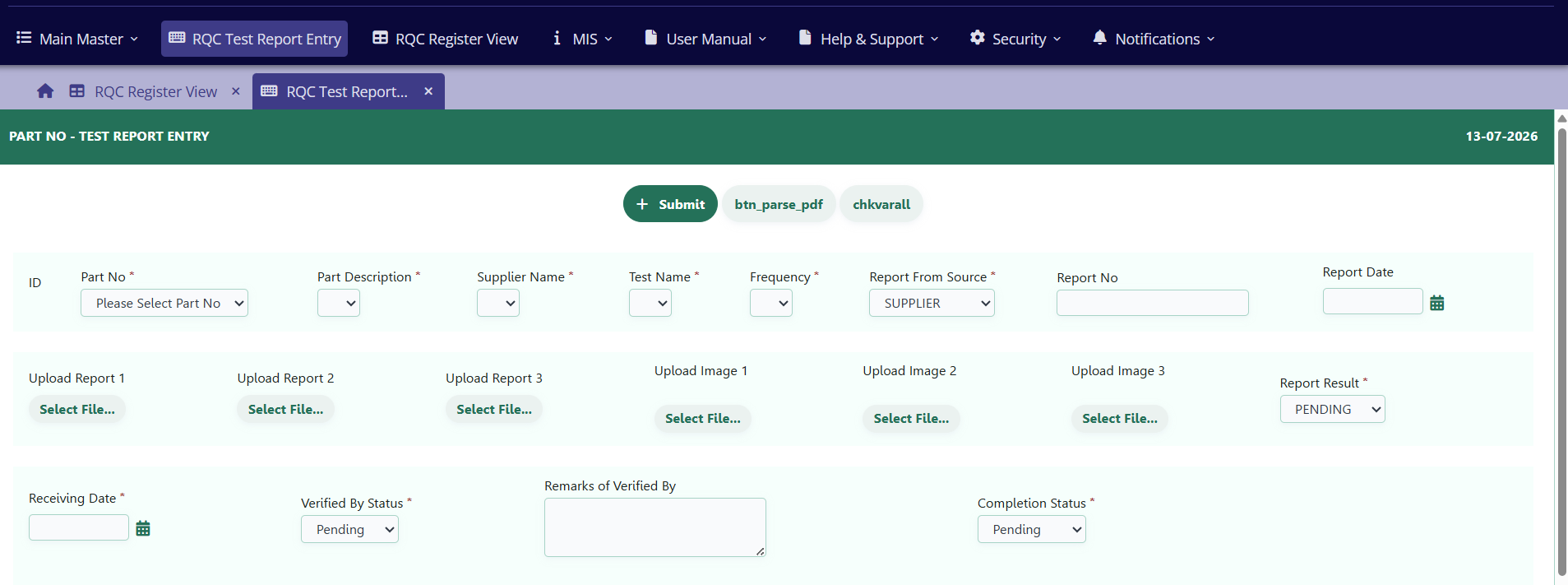
RQC Software Solutions digitizes the complete process for supplier, internal and third-party part test records. The system tracks frequency in months, report numbers, report dates, receiving dates, attachments, verification, remarks, completion status, final result and the next due date.
- Part number, part description, supplier, test name, report source and frequency management.
- Up to 3 report attachments and image uploads for each test record, excluding executable files.
- AI-enabled parsing to read supplier report number and report date from PDF or image files.
- Plant-wise, company-wise and source-wise visibility for management review.
Structured masters for parts, suppliers, tests, plants and frequency plans
The master module keeps the foundation clean so every RQC entry follows the approved test plan, required frequency and responsible user hierarchy.
Automobile quality test coverage
The software can maintain complete test plans for component validation, supplier documentation, lab reports, compliance reports and periodic verification.
Material and Lab Tests
Salt spray test, supplier material test certificate for chemical and mechanical values, third-party chemical certificate, flame test, rubber test slab and button verification.
Compliance Checks
SPC, RoHS, REACH, PDIR, DOL, layout plan, product lab test plan and spot test plan with required report uploads and verification remarks.
Source Tracking
Track whether the part or product report comes from supplier, internal team, external source or third-party testing agency.
Closed-loop verification, remarks and hierarchy approval
Receiving users enter the part test details and submit them to the approval authority. If approved, the cycle closes and the next due date is created as per frequency. If not approved, remarks are mandatory and the record returns to pending status for correction until the final result is OK and approved.
- Hierarchy approval structure for Admin, Engineer, Inspector and Technician groups.
- Mandatory approver remarks when any discrepancy is found.
- Latest records shown on top for faster daily review.
- Every user activity is captured in the log module for authorized review.
Management reports with search, charts and exports
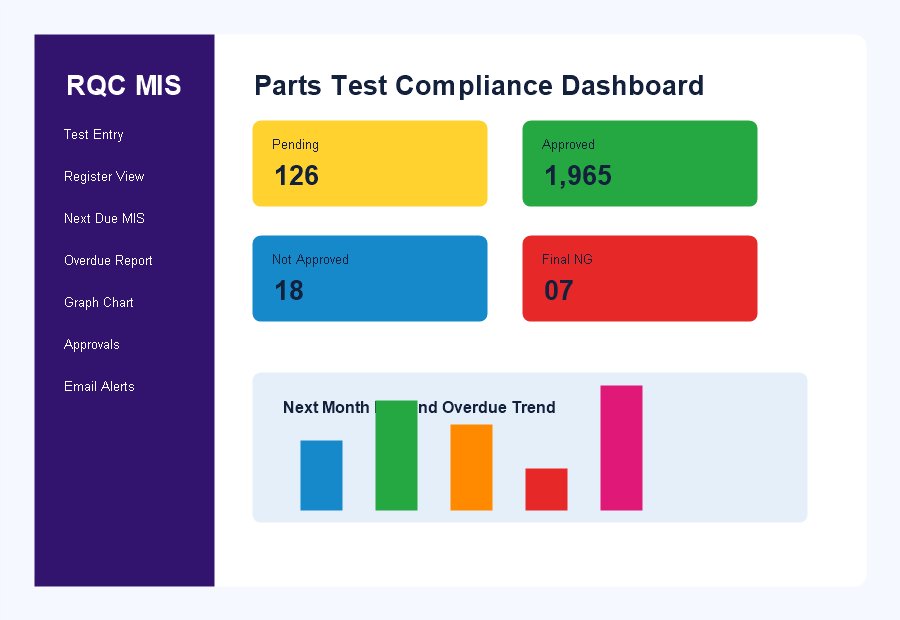
The RQC register shows complete details of each test entry. Management can view next month due dates, on-time and delay analysis, overdue reports, pending approvals, completed tests and final results with easy color coding.
- Advanced search across all fields with group-by data views.
- Next month due mail alerts to concerned users on the 25th day of the month.
- Bar chart and graph chart reporting for MIS review.
- Report export provisions for PDF and Excel.
From part receiving to approved compliance cycle
Receive
Receiving user logs in and records part or product details from supplier, internal, external or third-party source.
Upload
Reports and images are uploaded. AI reads report number and report date wherever possible from PDF or image files.
Verify
Responsible users update observations, report result, final status, completion date and remarks.
Approve
Authority approves or returns the record with remarks. Approved records close the cycle and create next due MIS.
Security, users and notifications
- User creation with group-based and role-based permissions.
- Admin, Engineer, Inspector and Technician group creation.
- 90-day password policy implementation.
- Separate SMTP email configuration interface for alerts and notifications.
Deployment, integration and AMC
- Deployment under a dedicated subdomain such as rqc.mindaapps.com.
- SAP / MDM part number auto update and existing Lab / SIR ID integration support.
- Application backup, data backup, environment support and deployment support.
- New one-page MIS reports from existing data as required by management.
Operational support for day-to-day usage and improvements
AMC coverage can include bug fixing, process-flow issues, calculation corrections, adding or removing fields in interfaces and reports, report formatting, backend operations, field type changes, password change requests, user creation, periodic releases, user guide updates, performance tuning, maintenance of existing code and operational issue resolution.
Need RQC Software for your plant or supplier quality process?
HostShop can customize RQC Software Solutions according to your part masters, test plans, approval hierarchy, MIS reports, email alerts, AI parsing needs, plant-wise access and AMC requirements.